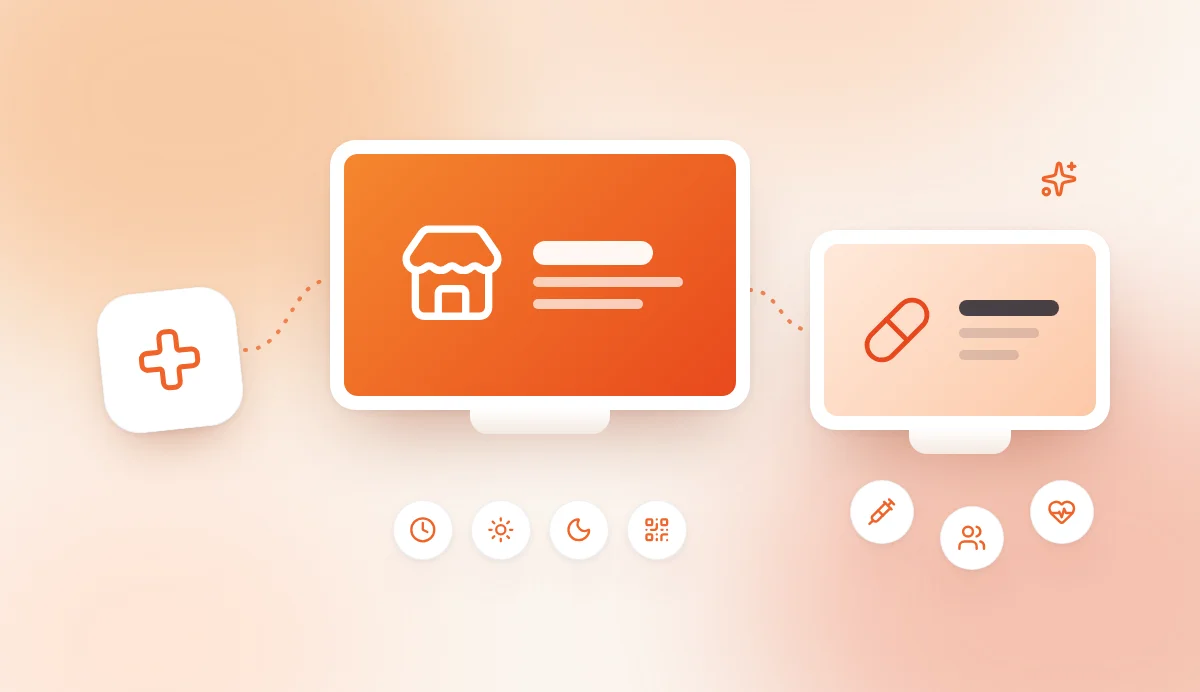
A pharmacy has two screens to plan, not one: the window screen, seen from the street, and the in-store screen, seen at the counter. Pharmacy digital signage means showing content you can update remotely on TVs or professional displays: opening hours, the duty pharmacy rota, services and prevention advice. In the window, you need very short messages and a bright screen. Inside, a standard TV is enough and the wait leaves room for advice. With software such as AtmoScreen, expect €19.99/month for one screen and €39.99/month for up to 10 screens, with a 7-day free trial. This guide covers the window, the shop floor, the general rules on pharmacy communication and content examples for each area.
You can try AtmoScreen free for 7 days, no credit card required.
At a glance
- The window is there to be read in a few seconds: opening hours, duty rota, services.
- The in-store screen accompanies the wait and extends the team's advice.
- A window needs a high-brightness screen; indoors, a standard TV is enough.
- Health content stays general, accurate and never overly promotional.
- Each area (window, counter, consultation room) gets its own loop.
Pharmacy digital signage: what is the difference between window and in-store screens?
A window screen aims to inform a passer-by; an in-store screen aims to support a patient who is already inside. They differ in reading time, hardware and content.
Window screen: a screen placed behind the glass and facing the street. It must be understood in 3 to 5 seconds, by day and by night.
In-store screen: a screen placed in the waiting area, near the counter or in an advice area. Reading time is longer, so it can explain a service or a prevention tip.
This guide is a pillar page: it gives the overall picture. For more on health advice and pharmacy profitability, read our guide to pharmacy digital screens for health advice. For the general principles of the wait, see the digital signage guide for waiting rooms.
What can a pharmacy show on a window display screen?
A pharmacy window display screen can show anything a passer-by understands at a glance: today's opening hours, the duty pharmacy, available services and how to book an appointment. Messages must stay factual, brief and readable from a distance. A pharmacy window display is not an advertising billboard.
The most useful content:
- today's opening hours and contact details;
- duty pharmacy information, when it is reliable and up to date;
- the services you actually offer: vaccination, screening, consultations, equipment hire, delivery;
- how to book an appointment, for example with a QR code;
- a seasonal prevention message, worded in general terms;
- a wayfinding message: entrance, counter, consultation room.
How do you show the duty pharmacy on screen?
Duty pharmacy information is the most useful content at night, but also the riskiest when it is out of date. An outdated message sends a patient to a closed pharmacy.
A few simple precautions:
- Start from an official source and date the message (day and time slot).
- Give the address or contact details of the pharmacy on duty.
- Remove the message as soon as the duty period ends, without waiting for the next day.
- Keep the notices required locally: the screen supplements them, it does not replace them.
With AtmoScreen, you change the message from the web dashboard, without walking to the window. The "Opening hours & practical info" template suits this kind of information.
Which services should a pharmacy window display highlight?
Highlight the services a passer-by cannot guess from your sign. According to the French Ordre des pharmaciens (the national order of pharmacists), the products, services and activities offered by pharmacists can be presented in the window and on the shopfront, in line with the law in force. Outside France, check your own professional regulator's guidance.
Use one call to action per service: "Vaccination: ask at the counter", "Medical equipment hire: ask our team for advice". Avoid promising results and any wording that trivialises the use of a medicine.
How do you stay visible by day and by night?
Visibility depends on how much sun the window gets, the reading distance and the brightness level. A window screen in direct sunlight needs a brightness of several thousand cd/m², far above a living-room TV. At night, the same output dazzles and creates reflections on the glass.
| Situation | Recommended setting |
|---|---|
| South-facing window, strong light | High-brightness screen, tested in full sun |
| Busy street, read from a few metres | Compact screen, large text, 1 message per slide |
| Crossroads, read from a distance | Large format, very few words, strong contrast |
| Night, dark street | Reduced brightness or scheduled switch-off |
| Glass with reflections | Tilted or slightly set-back screen, dark background |
Always test the result at midday, at sunset and at night before approving your content. A screen visible from a public space may also fall under local advertising or planning rules: check with your local authority before installing it.
In-store pharmacy digital screens: what content for the counter and health advice?
Inside, the screen informs during the wait and prepares the conversation with the team, without ever replacing it. The patient is already there: you can explain rather than simply attract attention. A pharmacy waiting area screen works best with a short loop that is refreshed regularly.
What should you show while patients wait at the counter?
The wait is the right moment for practical content:
- how a service works (vaccination, consultation) in 3 steps;
- the documents to have ready: prescription, health insurance card, health record;
- collection or delivery times;
- the existence of a private consultation room and how to access it;
- the members of the team and their roles ("Team" template).
How long the wait feels also depends on what people are looking at. We explain this mechanism in our article on the psychology of waiting.
How can you use the screen for health advice?
The screen extends spoken advice with simple, general pointers. Formats that work:
- a checklist before travelling;
- a seasonal prevention reminder: sun, allergies, winter;
- 3 illustrated hygiene tips;
- a short quiz on general good use ("Quiz" template);
- a wayfinding message: "Got a question? Ask your pharmacist for advice".
This content remains general information, never a diagnosis or a promise of results. For more ideas, see the most effective content for a waiting room screen.
What should you never show on a shared screen?
A screen everyone can see must never make it possible to identify a patient. Leave out names, file numbers, individual results and personalised messages.
For a one-to-one exchange, calling the patient aloud or using a private room remains the right option. The shared screen carries general information.
What are the key considerations for digital signage in pharmacies?
Pharmacy communication is governed by professional ethics and by specific rules on medicines and health products. This article sets out general principles only. It does not replace official texts or your regulator's advice: for a specific case, contact your professional body (in France, your regional council of the Ordre des pharmaciens).
Three general reference points:
- Information, service or advertising: classify each message before showing it. Opening hours are information, a description of vaccination is a service, an offer on a product is commercial communication.
- No arguments based on public health insurance: in France, the national pharmacists' agreement states that pharmacists must not use any advertising medium that refers to the payments made by the national health insurance (Assurance Maladie).
- Medicines and medical devices: their advertising remains subject to specific rules, whatever the medium. A screen is no exception.
In practice, adopt a few cautious habits:
- avoid words such as "guaranteed", "the best" or "cures";
- make sure any price shown is legible and accurate;
- do not mix health advice and product promotion in the same message;
- have the pharmacist in charge approve new content before it goes live.
One more useful point: AtmoScreen shows no third-party advertising on your screens. You stay in control of every message shown in your pharmacy. For a measured approach to promotion, read our article on soft marketing in the reception area.
Which screens should you choose for digital signage for pharmacies?
For a pharmacy, choose two types of hardware: a high-brightness screen in the window, and a TV or standard display inside. The digital signage software stays the same for both, so all your pharmacy digital screens are managed from a single dashboard.
| Criterion | Window | In-store |
|---|---|---|
| Brightness | High, with day/night settings | Comfortable, no glare |
| Size | Based on reading distance | 32 to 55 inches depending on the room |
| Operation | Continuous, good ventilation | Silent |
| Content | 1 short message per slide | Slightly more detailed messages |
| Management | Remote, quick removal of a message | Remote, one loop per area |
On the software side, AtmoScreen runs on Chromecast, Android TV, Google TV, Amazon Fire TV, Xiaomi, the Chrome browser and Android. Pairing uses a code shown on the TV. You can follow the guide to setting up on a Fire TV Stick or the one for direct installation on an Android smart TV.
To compare software criteria, see our guide to choosing digital signage software. If you are torn between a plain TV and a real system, read the comparison standard TV or digital signage.
A pharmacy with one window screen and one in-store screen needs the Premium plan (€39.99/month, up to 10 screens). The Starter plan (€19.99/month) covers a single screen. All plans are commitment-free, with 20% off on annual billing. Details are on the pricing page.
Content examples for each area
Each area of the pharmacy serves a different purpose: do not play the same loop everywhere.
| Area | Goal | Content examples |
|---|---|---|
| Window | Be seen, guide | Today's opening hours, duty rota, services, appointment QR code |
| Entrance | Ease access | Instructions, access, flow of movement |
| Waiting area | Make the wait useful | Seasonal prevention, services, team |
| Counter | Support advice | Documents to have ready, steps of a service |
| Consultation room | Reassure | Consultations, privacy, booking |
| Family or baby area | Advise | Hygiene tips, checklists, referral to the team |
Example loop for the window
- "Open today from 8:30 am to 7:30 pm"
- "Vaccination: ask at the counter"
- "See your pharmacist: scan the QR code"
- "Duty pharmacy: up-to-date information here"
- "Got a question? Come in, our team can help"
The "Form (QR code)" template can lead to an appointment booking page. Allow 8 to 10 seconds per message, with no more than 6 words readable from afar.
Example loop for the shop floor
- "Before your turn: have your prescription and health card ready"
- "Seasonal allergies: ask our team for advice"
- "A consultation with your pharmacist can help you use your treatment properly"
- "For a personal question, a private room is available"
- "This advice is general: your pharmacist will guide you based on your situation"
You can build them with the "Messages", "Photo & video", "Team" or "News" (RSS feed) templates. A loop of 5 to 8 slides, refreshed each season, is enough for most pharmacies.
Frequently asked questions
What can a pharmacy show on a window display screen?
A pharmacy can show its opening hours, duty pharmacy information, its services, how to book an appointment and general prevention messages. Messages must be short, accurate and readable from a distance. The rules on medicines and health products apply to this medium as to any other.
What are the key considerations for digital signage in pharmacies?
Choose a high-brightness screen for the window, suited to the sun exposure and reading distance, and a quiet standard TV indoors. Keep each message short, accurate and general, never identify a patient, and follow the specific rules on advertising medicines. AtmoScreen manages both screens from one dashboard and runs on Chromecast, Android TV, Google TV, Fire TV and Xiaomi.
Should a pharmacy switch off its window screen at night?
It is advisable to lower the brightness or schedule a switch-off outside useful hours, because an overly bright screen dazzles and creates reflections. For a display visible from a public space, check local advertising rules with your local authority.
Can a pharmacy show promotions on its screens?
It depends on the product, the wording and the applicable regulations. Medicines and medical devices are subject to specific rules. When in doubt, favour information and services, and have the pharmacist in charge approve every message. For any specific case, refer to the official texts and your professional regulator.
How much does pharmacy digital signage cost?
With AtmoScreen, the Starter plan costs €19.99/month for one screen and the Premium plan €39.99/month for up to 10 screens. These plans are commitment-free, with 20% off on annual billing and a 7-day free trial. The cost of the high-brightness window screen comes on top, for the hardware.
Conclusion
In a pharmacy, the window screen informs in a few seconds, while the in-store screen supports the wait and the advice. In both cases, the rule is the same: useful, accurate and measured messages, tailored to each area.
You can try AtmoScreen free for 7 days, no credit card required, and manage both your window and in-store screens from a single dashboard.