A visitor walking into a lobby wants to know three things: whether they are in the right place, who to tell they have arrived and what to do next. Lobby digital signage answers those questions when the screen first shows the names of the people expected today and a welcome message. Company news, key figures and open roles come after that. With AtmoScreen, a compatible TV is all you need, from €19.99/month. This article sets out what to display, in order of priority, in your company lobby.
You can try AtmoScreen free for 7 days, with no commitment.
At a glance
- Information that helps the visitor comes before brand content.
- The "Visitor welcome" template shows today's visitors by name: it is one of the Premium templates (€39.99/month).
- Three to five key figures are enough, each with a date and a source.
- Recruitment fits into one short slide, with a QR code.
Lobby digital signage content, in order of priority
Reception digital signage follows one simple rule: what the visitor needs to know comes first, what the company wants to say comes second. Six types of content cover most of what a lobby needs.
- The visitors expected today, by name.
- A welcome message.
- Practical information: guest Wi-Fi, opening hours, what to do at the front desk.
- Company news.
- Three to five key figures.
- Open roles and an introduction to the team.
Each item must be readable in a few seconds, from several metres away. A short sentence, a name, a figure: never a paragraph. The table further down shows the AtmoScreen template that suits each one.
Welcoming visitors by name: greet every expected guest
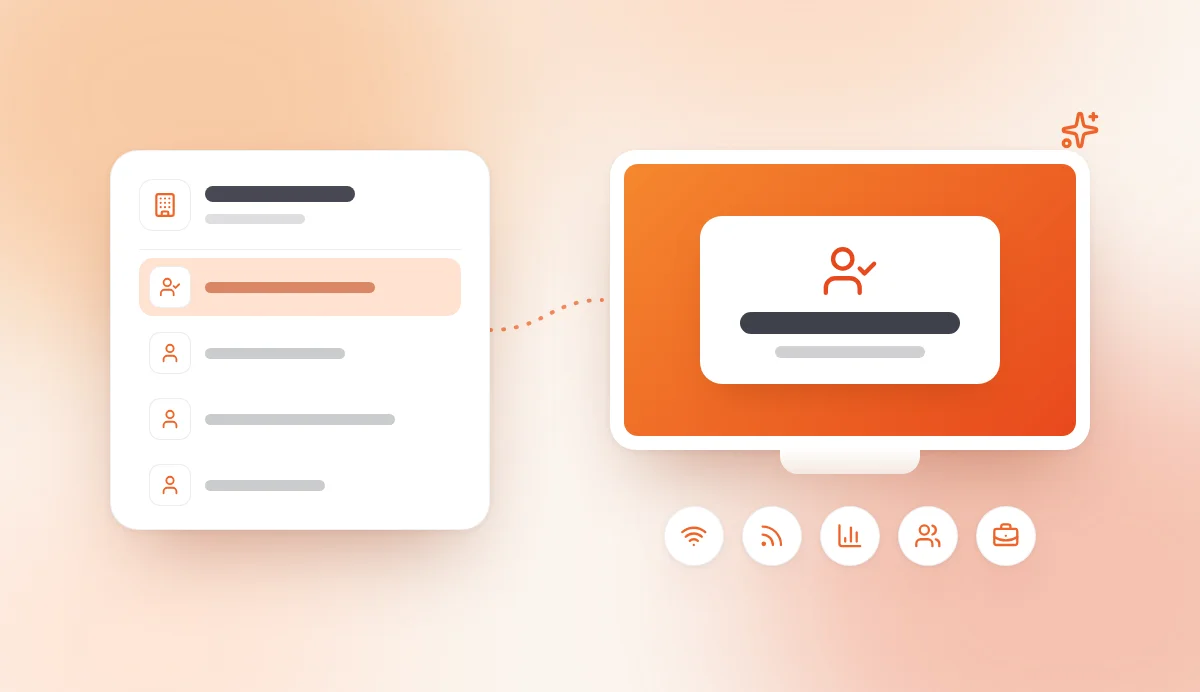
A personal welcome starts with the visitor's name. Showing "Welcome, Sophie Martin" is reassuring: the person sees that their visit was planned and that the company is organised. AtmoScreen's "Visitor welcome" template lists the day's visitors by name on the lobby screen.
A template included in the Premium plan only
The "Visitor welcome" template is one of the Premium templates. The Premium plan costs €39.99/month and covers up to 10 screens. The Starter plan (€19.99/month, 1 screen) does not include it, nor the "News" and "Form" (QR code) templates. There is no commitment, and annual billing saves 20%. If the lobby is your only need, a single Premium screen is enough.
Which visitor details to show
A name on a screen that can be seen from the street or by other visitors is personal data. The ICO explains that, under the GDPR (and the UK GDPR), you should only process the personal data you need for your purpose. In practice, a first name or a company name may be enough. Check the rule with your data protection officer.
A screen does not replace a person at the front desk. It prepares the visitor's arrival, but someone who is lost must always be able to speak to a member of staff.
The welcome message on your reception digital signage
The welcome message fits on one line, in large type, on a plain background. It tells visitors where they are and gives them their first instruction. Here are three examples for different situations:
- "Welcome to Dupont & Associates. Please check in at the front desk."
- "Welcome to the steering committee, Atlas room, 2nd floor."
- "Have a great day, everyone. Guest Wi-Fi details are below."
You type this short text into the "Quotes" template, which takes your own messages, or into the "Message" field of the "Visitor welcome" template. You can edit it in seconds from the web dashboard. Change it for an event, a client visit or a special day.
Adding practical information to the message saves the front desk from answering the same questions again and again. The "Hours and practical info" template groups hours, instructions and contact details. The "Weather" template can join the loop too: it is useful for people arriving on foot or about to leave.
News and key figures: show the company without telling its whole story
News and key figures are there for the visitor who is waiting, not for the communications team. They give a concrete picture of the company in under ten seconds.
Company news
The "News" template displays an RSS feed: the company blog or trade press keeps the screen up to date with no retyping. Favour recent, neutral news: a certification, a new site opening, an award, a partnership. A story that is several months old makes the screen look abandoned.
Key figures
Three to five indicators are enough: headcount, number of sites, years in business, volume handled. Beyond that, nobody remembers anything. Each figure needs a time reference ("in 2025") and must match a document the company can produce. An out-of-date figure does more harm than no figure at all.
You can enter them in the "Quotes" template or build them into a visual with the "Media" template. For the bigger picture, see our guide to corporate digital signage, which also covers offices and break rooms.
Recruitment and team: what to show, and where to stop?
In a lobby, recruitment content speaks to candidates who are already on site, or to curious visitors. One short slide is enough: three open roles, a QR code, a message. The "Form" template displays a QR code that links to a form, such as a speculative application. The candidate scans it and replies from their phone.
The "Team" template presents your colleagues' faces and job titles. It helps visitors recognise the person they have come to see, and it makes an often impersonal lobby feel more human. Remember to get each person's consent before showing their photo.
This content stays deliberately modest. The underlying strategy (tone, values, consistency with your careers site) is a different topic, covered in our article on employer branding and your company reception. Here, the only question is what the lobby screen shows, and for how long.
Building the loop for your corporate lobby display
A lobby loop usually has four to six slides of 8 to 15 seconds each. The table below suggests a running order, to adjust to the footfall in your lobby.
| Content | Purpose for the visitor | Place in the loop | AtmoScreen template |
|---|---|---|---|
| Today's visitors | Recognise their name, know they are expected | First, on every cycle | Visitor welcome (Premium) |
| Welcome message | Know what to do on arrival | Near the start of the loop | Quotes or Visitor welcome |
| Practical info | Wi-Fi, opening hours, instructions | One fixed slide | Hours and practical info |
| News | Understand recent activity | One slide | News, RSS feed (Premium) |
| Key figures | Get a sense of the company's size | One slide | Quotes or Media |
| Team | Identify who to talk to | One slide | Team |
| Recruitment | Scan to apply | One short slide | Form, QR code (Premium) |
On the hardware side, AtmoScreen works with Chromecast, Android TV, Google TV, Amazon Fire TV, Xiaomi, the Chrome browser and Android, so your corporate reception digital screens can start from a TV you already own. You pair the screen with a code shown on the TV. No third-party advertising is ever shown on the screen. For a lobby that stays on all day, compare consumer TVs and commercial monitors. The principle of not overloading the screen is explained in our article on soft communication in reception areas.
You can also manage the screen with AI: AtmoScreen is available in ChatGPT and in Claude, through an MCP server. For example, you can ask: "Replace the welcome message with a note for tomorrow's training attendees, Atlas room." The setup is described in our tutorial on how to connect AtmoScreen to ChatGPT and Claude.
Frequently asked questions
What should a corporate lobby screen display?
Start with what helps the visitor: the people expected today, a welcome message and practical instructions (guest Wi-Fi, check-in procedure). Then add company news, three to five key figures, open roles and an introduction to the team. Corporate content comes after useful information.
What is the best digital display for an office reception?
A display that can be read from a distance and is easy to update. A compatible TV works with AtmoScreen through Chromecast, Android TV, Google TV, Amazon Fire TV or the Chrome browser; a commercial monitor is worth considering if the screen stays on all day. With the "Visitor welcome" template (Premium), it greets each of the day's visitors by name.
Is the "Visitor welcome" template included in the Starter plan?
No, it is a Premium template. AtmoScreen's Premium plan costs €39.99/month, with no commitment, for up to 10 screens. The Starter plan (€19.99/month, 1 screen) covers the welcome message, practical info, the team and the weather. Welcoming visitors by name, RSS news and the recruitment QR code need the Premium plan.
Should you show visitors' full names?
Not necessarily. A first name, a company name or a generic message better protects privacy, especially if the screen can be seen from outside. Apply the GDPR data minimisation principle and confirm your choice with your data protection officer.
Conclusion
A well-equipped company lobby first shows what helps people find their way: expected visitors, a welcome message, instructions. News, key figures, recruitment and the team come next, in short slides. Lobby digital signage stays useful as long as it is kept up to date.
You can try AtmoScreen free for 7 days, with no commitment, and build your lobby loop today.